
Steps to transfer a .es, .com.es, .nom.es or .org.es domain
Before starting the transfer process, you must ensure you have the AuthCode and access to the administrative contact email account for the domain, since the request is received at that email, and you will need access to it in order to accept it. If you don't know what address it is, we recommend contacting your current registrar to check the email address configured in the administrative contact.
If you don't have access to the email account, contact the current registrar to have it changed to one you have access to.
The AuthCode should be provided by the current domain provider.
To start the process, access the Domains section and click on "Transfer domain", enter the domain to be transferred and click the "Transfer" button in the search results, access the shopping cart, you will need to edit the contact details and select a hosting plan if desired.
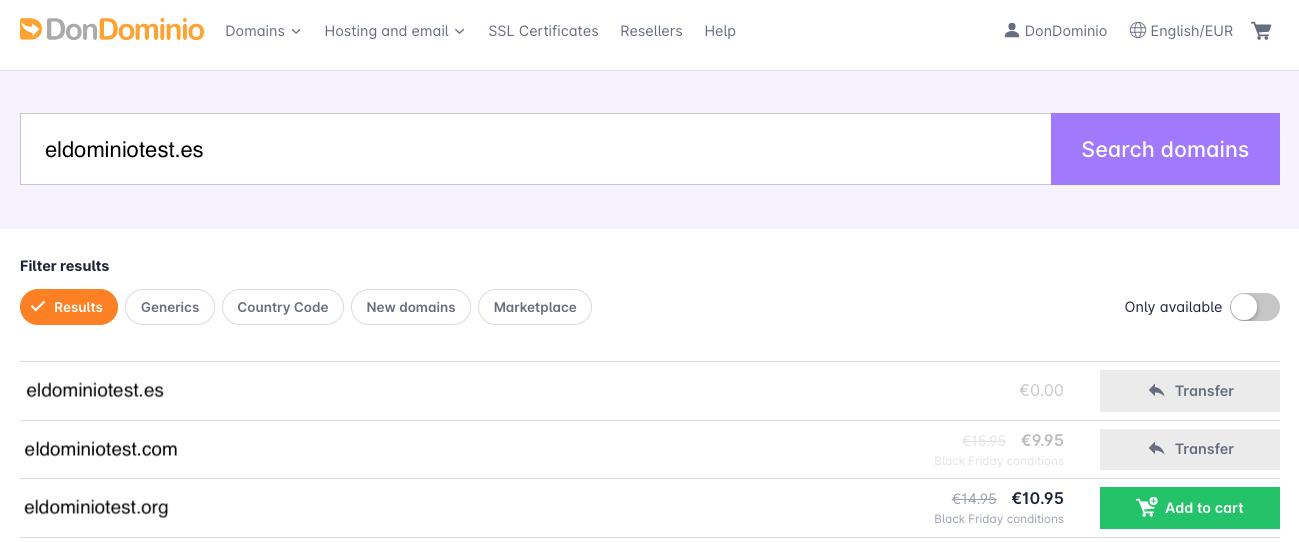
Once the order is paid, you will have access to the domain management panel from your domains list, with the status “Transfer not started”, and waiting for the AuthCode to start it correctly.
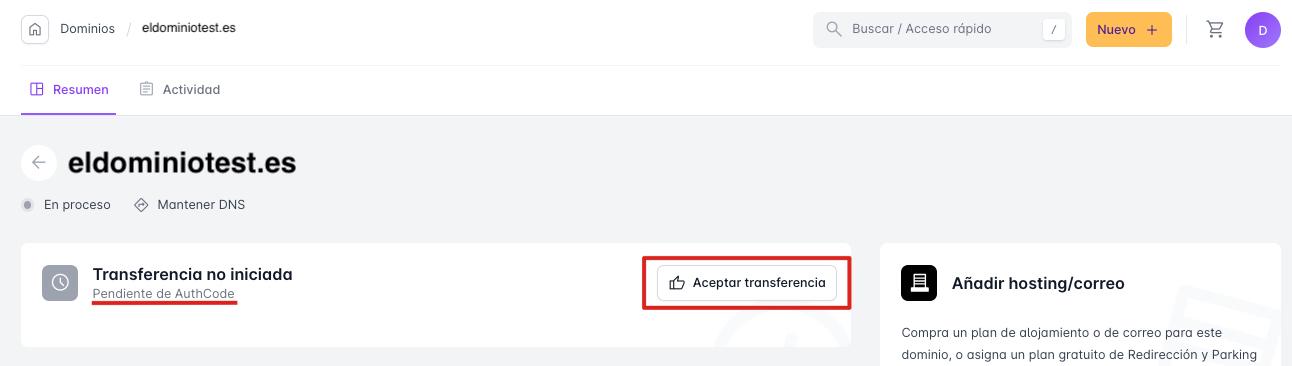
By clicking the “Accept transfer” button, you can enter the AuthCode to start it.
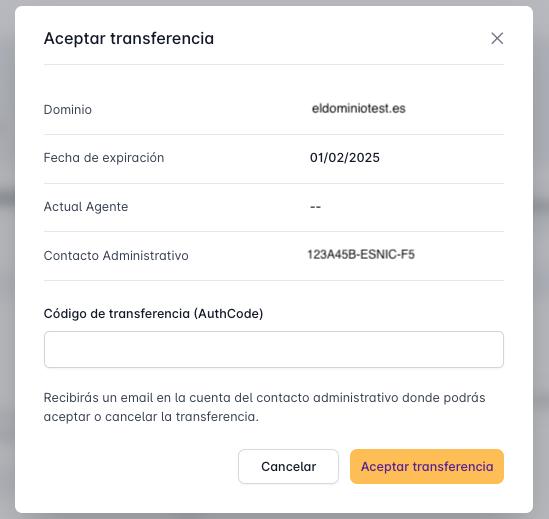
At this point, Dominios.es will send an email to the administrative contact's email account to complete it.
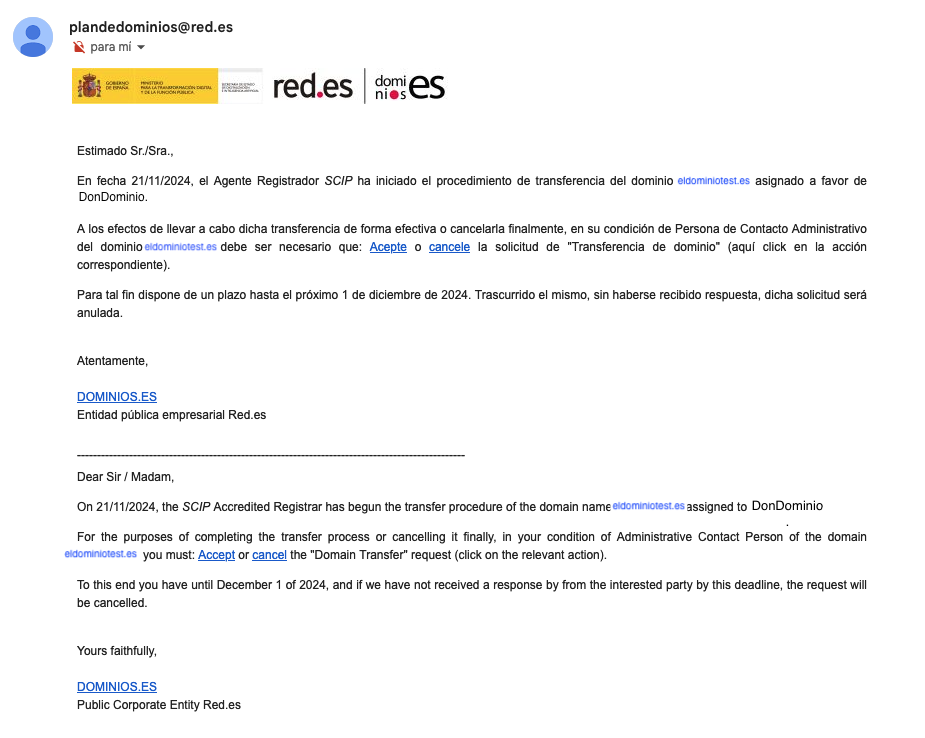
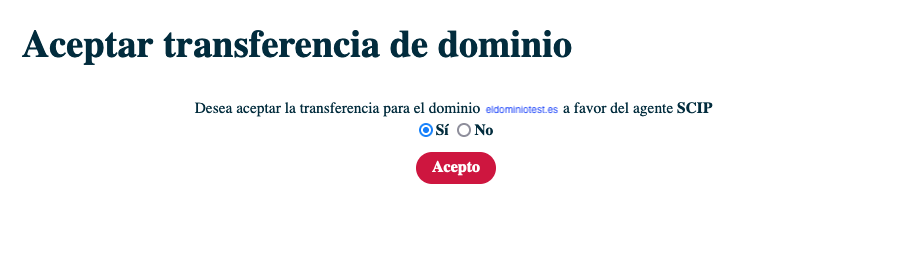
By clicking the “Accept” button, the following window will appear to confirm the selection:
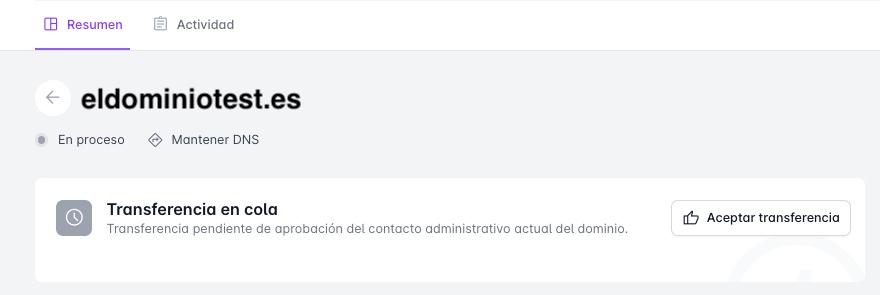
After accepting the transfer, the domain status will be "Transfer in queue", meaning it has been accepted and the transfer will be completed in approximately 1 hour.
- If the transfer is not accepted within 10 days after the transfer request, it will be automatically canceled.
IMPORTANT: If you are going to use our web hosting
If you are going to transfer the hosting, you would need to make a backup of the files that make up your website and the databases (if used) so you can upload them to our servers. If the website uses databases, you will need to edit the configuration files to point to the new ones.
Also note that email accounts are not transferred, so you will have to recreate them here, and if you don't want to lose the emails, download them to your PC using an email client like Outlook or Thunderbird. Optionally, if the email accounts are still accessible with your previous provider, you can import emails from the Webmail environment of the email accounts created on our platform. You can follow the steps in this guide.
How do I get the transfer code (AuthCode)?
The transfer code (AuthCode) is obtained from the current AR (Registrar Agent) managing the domain, or the Registry (Dominios.es) if there is no AR, and the domain is managed directly from Dominios.es.
- DonDominio: You can obtain the AuthCode for a .ES domain that is with DonDominio from its management panel, under the “summary” section in “Settings”, option “.ES Transfer Code”, by clicking “Request”.