
DonDominio

How to install a WordPress plugin

WordPress offers us a lot of customization options, but it’s possible that we have some needs that the application can’t solve. To help us in this kind of situations, WordPress lets us install Plugins, who allow us to easily add new functionalities to the application.

Let’s see how to install this plugins, both automatically and manually.

Automatically installing a plugin

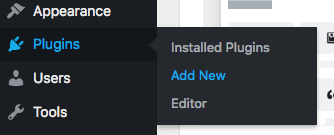
To install plugin automatically, we need to go to the WordPress admin area. Once inside, we will click on Plugins” - “Add New
On the next screen, we can see the Featured Plugins, and on the top right we will find a search bar, where we will search the plugin that we want to install. In this example, we will install the famous plugin contact form 7.
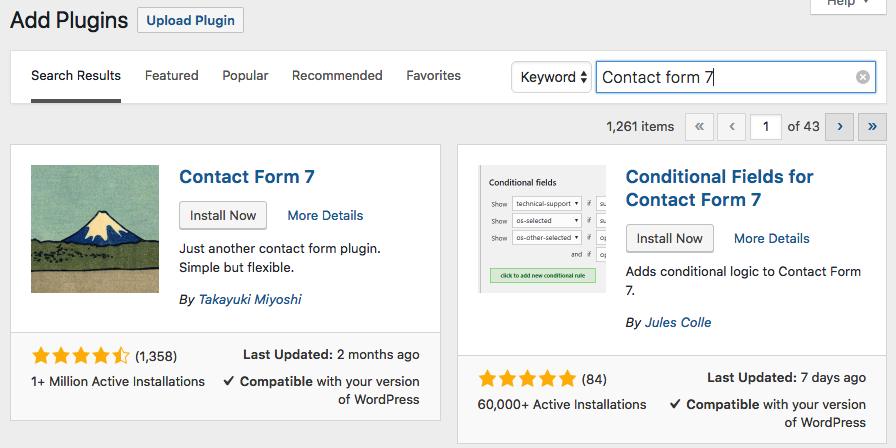
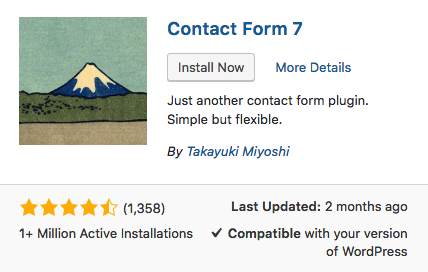
To install it we will click on Install now
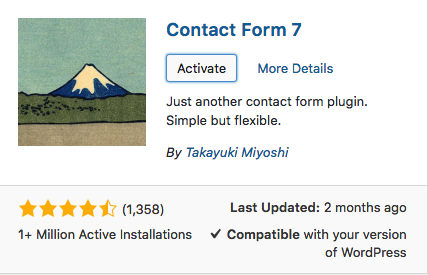
Now, we will click on Activate
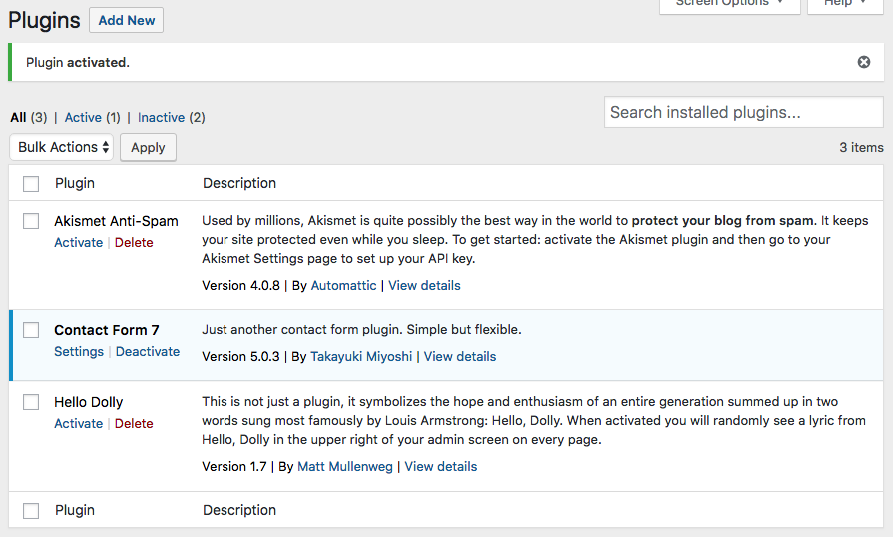
If we have done the process correctly, WordPress will show us the installed plugins screen, where we will see our plugin ready to be used.
Manually installing a plugin

Once we have seen how to install it automatically, let’s see how to install plugin manually, this is because some plugins are not available at the WordPress plugin repository, for example, plugins that we've bought on plugin marketplaces like codecanyon.net or similar.

To do it, we first need to download the plugin, we will use contact form 7 again. This plugin comes in ZIP format.

When we have our plugin downloaded, we will follow the same steps for the automatic installation Plugins - Add New, but this time, we will click on Upload Plugin button.

And we will select our plugin from our computer.
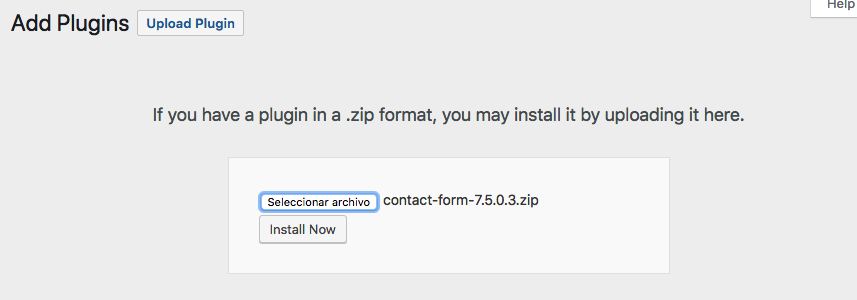
To finish, we will click on Install now and Activate plugin
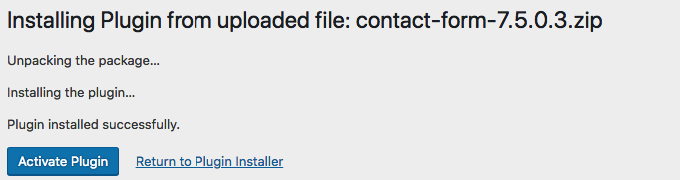
And that’s all, we have our plugin installed and ready to use.

Frequent Questions

Why DonDominio?

At DonDominio, we offer you over 20 years of experience in the domain registration, hosting, email, and SSL certificates sector.

We have specialized technical support and advanced tools for businesses, agencies, and resellers.

Additionally, we have multiple layers of security, continuous monitoring, redundancy systems, and proprietary technology designed to ensure the availability, integrity, and protection of data.

How do I know if a domain is available?

You can find out if a domain is available through a search in our search engine.

How can I register a domain with DonDominio?

Registering a domain at DonDominio is a simple process. Enter the name you want in our search engine to check if it is available, select the appropriate extension, complete the registration, and make the payment.

If you are not sure about the name you want to register, but have an idea in mind, you can activate the AI search in our search engine. In seconds it will provide you with various name options that fit your project.

Once registered, the domain will be linked to your account, and you can use it for a website, email, or any digital project.

How can I create my website?

Steps to create your project at DonDominio:

  1. Search and register a domain for your project.
  2. Create your website and email accounts with our hosting plans.
  3. Protect your project by adding an SSL certificate.
Do you offer specialized technical support?

We have a specialized technical support department with over 20 years of experience in resolving technical issues. All our support agents are real people; we do not use chatbots or AI agents to handle inquiries.

Do I have any benefits as a DonDominio client?

As a DonDominio client, you will have access to special discounts based on the volume of domains you manage.
For more information about this type of discount, check the volume discounts section.

Additionally, you have at your disposal our reseller services which include: developer API, white label panel, and compatibility with WHMCS.

Start your website today

Buy your ideal domain and start your project with a few clicks

Search my domain