
How do I create a backup of my website?
What is a backup?
A backup consists of an exact copy of the files and databases that make up our website. This copy allows us to restore the website to the state it was in when the backup was made, providing us with a fallback in case we encounter an issue with the site.
It is important to store backups on a server external to the same hosting, either by saving them on the local device or uploading them to a network storage service like Google Drive, iCloud, Dropbox, etc. so that we can recover the copy in case of a hosting failure.
What do I need to perform a backup?
There are tools and plugins that allow you to perform backups automatically, however, in this help guide, we will explain the steps to perform a backup manually.
To perform the backup we will need access via FTP, either using webFTP or a desktop FTP manager like FileZilla, cuteFTP, etc. and access to the databases with phpMyAdmin or an application like MySQL Workbench, etc.
In this case, we will use the tool FileZilla to back up the files stored in the FTP and phpMyAdmin to export the database.
FTP Copy
The data to access via FTP can be found in the client area, within the FTP section of the hosting management panel. To access it, from our client area, we will click on the option “Hosting y Correo” and click on the domain that has the hosting plan from which we want to export the copy. Once inside, at the top, we can access the “FTP” section.
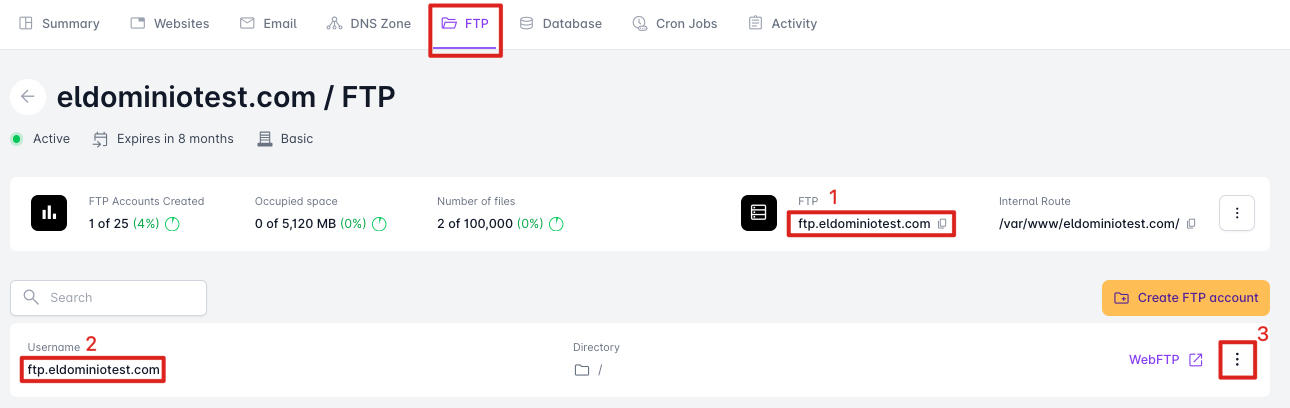
In this section, we can see the information we will need:
-
FTP Server
-
FTP User
-
Options to view/edit the FTP password
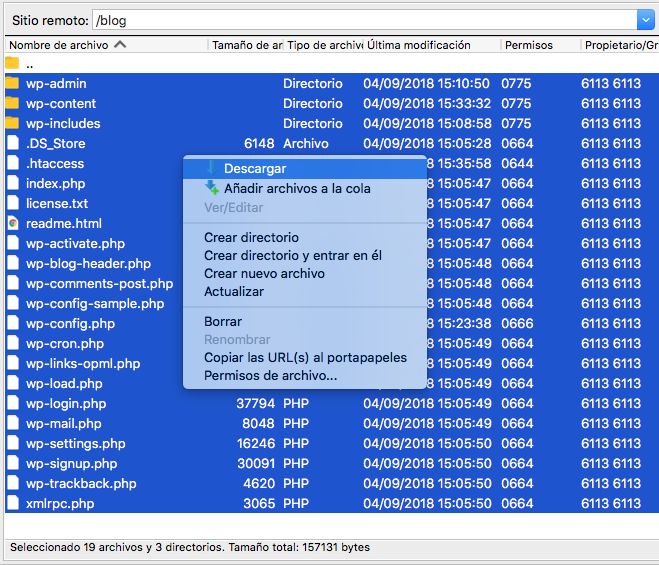
With this data, we will open the tool FileZilla to download a copy of the files stored in the hosting. You can follow the steps in this help guide to access using FileZilla.
To download the files simply select the ones that appear in the Remote Site field and by right-clicking the option Download will appear.
Database Copy
To download a copy of the database we access our client area in DonDominio and access the hosting management the same way as before. From our client area by clicking on “Hosting y Correo” and clicking on the domain name that has the hosting from which we want to export the copy.
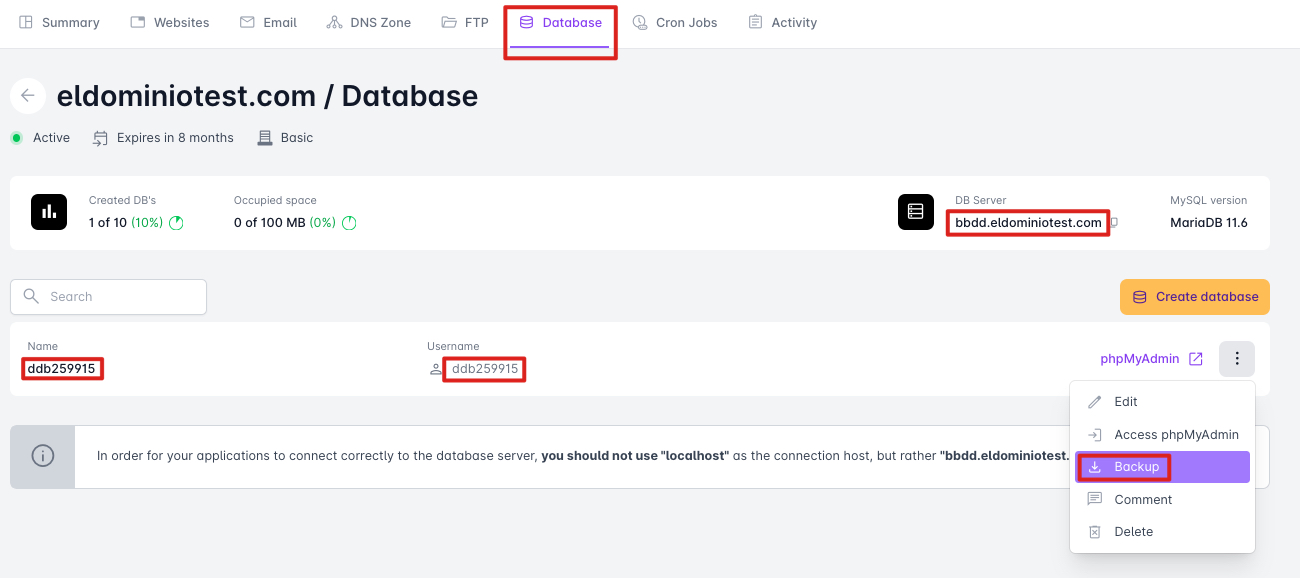
Once inside, at the top, we access the “Databases” section, and by clicking the more options button, we can choose “Backup” to download the copy in .GZ format (File format that can be decompressed to obtain the .SQL file).
We could also export a complete backup, partial, or with more options from the “Export” section within phpMyAdmin.
Or even obtain the credentials, such as the “Server,” “Name,” “User,” and “Password” (You can view/modify the password by clicking “Edit” in the more options button) to use them to access through an external program like Workbench MySQL.