
.ES domain owner change
IMPORTANT: It is important, before starting the change of ownership, to have access to Dominios.es with the Nic-handle of the current Administrative contact of the domain. You can follow our guide on Recovering the access password to Dominios.es.
You can start modifying the owner contact details of a .ES domain from the domain management panel, in its general section.
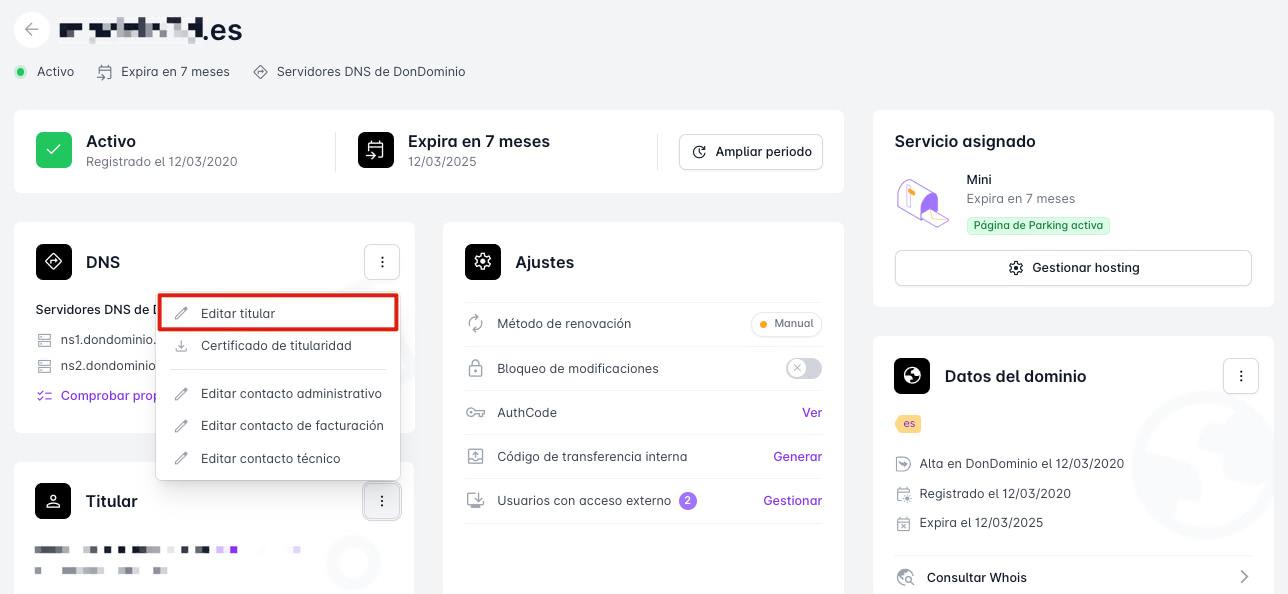
A form will appear to modify and thus create a new contact with the new details. Once the contact edition is completed, an email will be sent to the current administrative contact to start the transfer of ownership directly from Dominios.es:
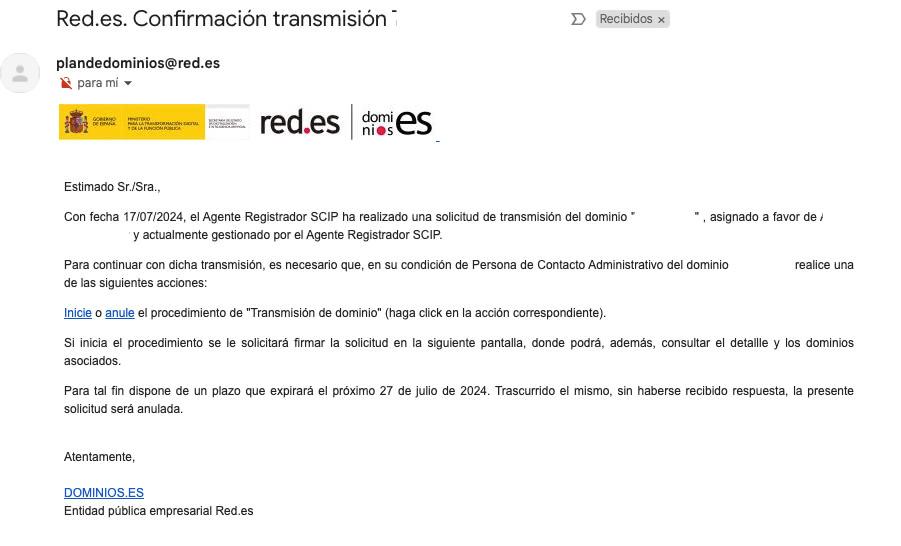
To initiate the change, you must click the "Start" link highlighted in blue in the email sent by Dominios.es.
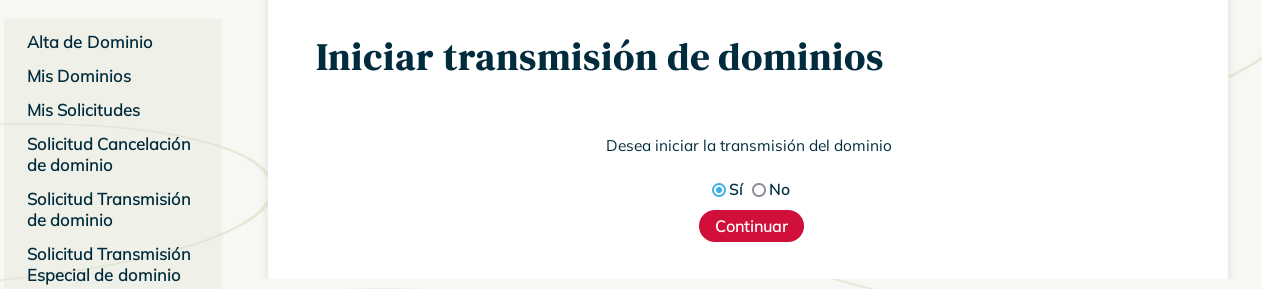
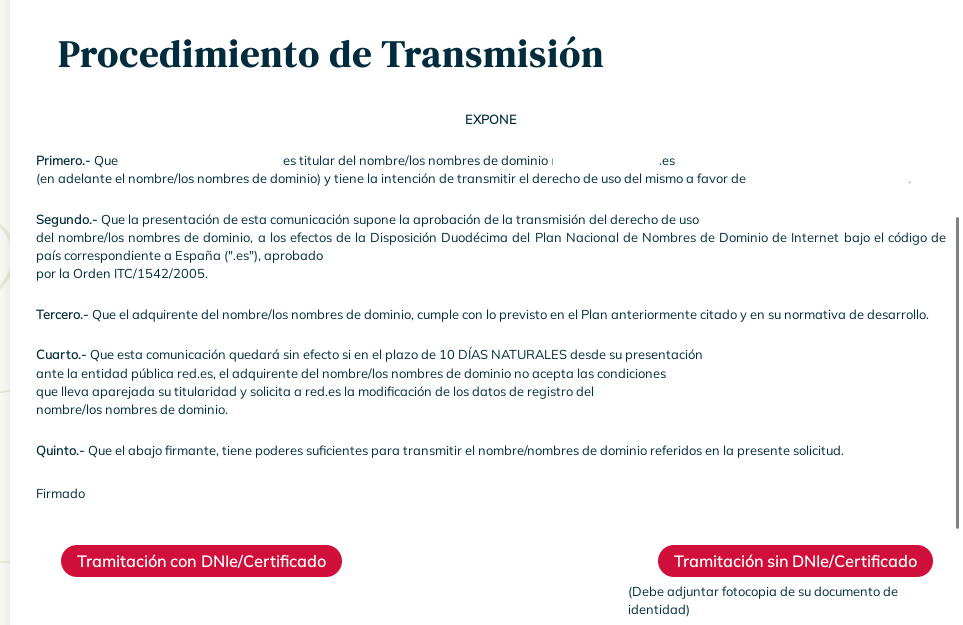
When confirming the request to start the domain transfer, it will be necessary to authorize the change via DNIe/Certificate or a photocopy of the identity document.
Once the request is authorized, it will be under "Review" by Dominios.es, who will send an email to the PCA (Administrative Contact) to accept or reject the transfer:

By "Confirming" the process we will be redirected to the last step, where the information will already be filled in, except for the "Manager" section.
It is important to indicate “SCIP” in the "Registrar Agent" field of the "Manager" section, to keep the domain at DonDominio, otherwise, the domain will leave our platform and it will be necessary to transfer it again.
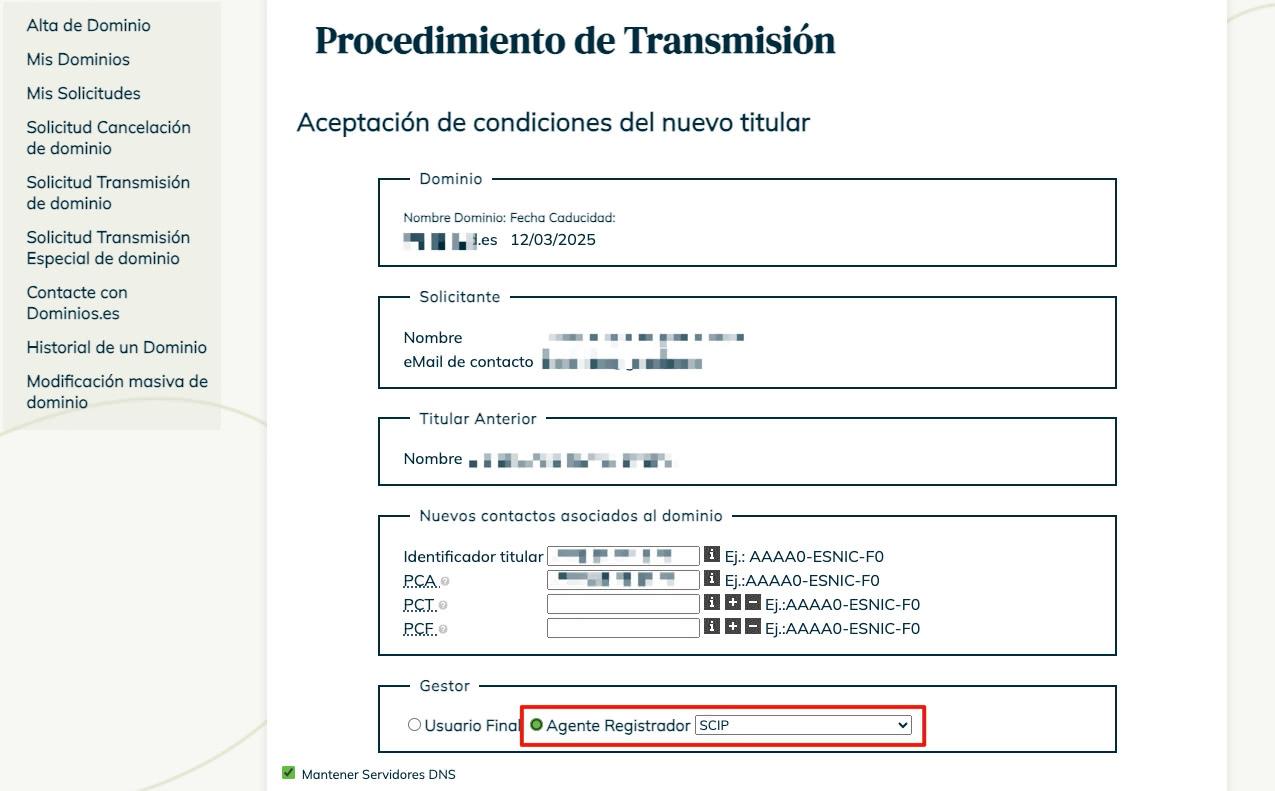
Before finishing the process, Dominios.es will require the electronic signature or a copy of the identity document of the new domain holder.
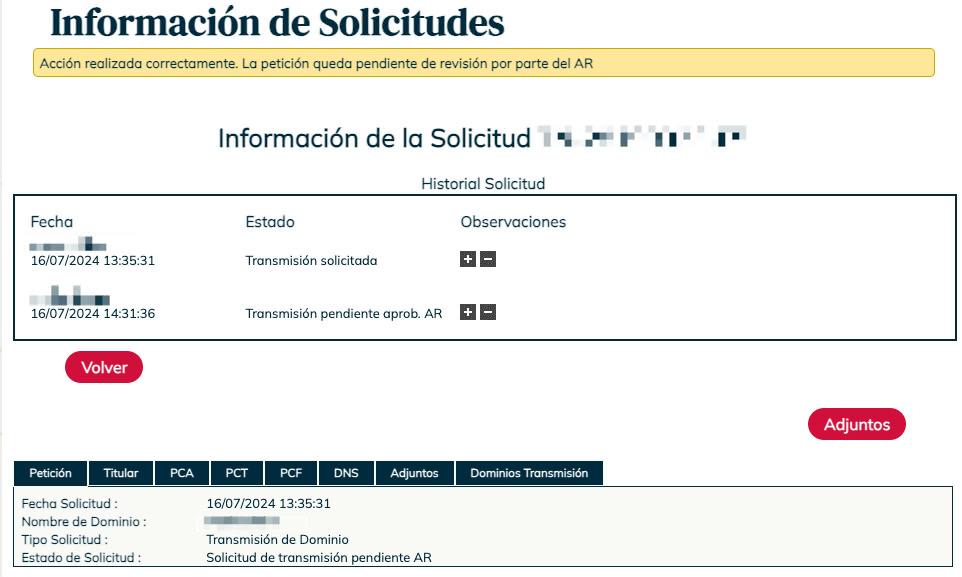
Finally, you will just need to wait for the request to be approved automatically.