
How to buy an SSL certificate
Before buying an SSL certificate we should know that there are several types of certificates and know what we need.
Types of certificates
Depending on the number of domains
- Single Domain: It allows you to certificate one domain.
- Multi Domain: It allows you to certificate more than one domain in only one certificate.
- WildCard: It allows you to certificate one domain and all his subdomains.
- Multi Domain Wildcard: It allows you to certificate more than one domain with all his subdomains.
Validation type
- Domain Validation: Is the most simple validation, just to prove that we are the owners of the domain that we are buying the certificate for, this verification it's normally done by email.
- Business Validation: This validation is a little more advanced and we will prove that we are the owners of the domain and also the administrators of the company. The validation it's done by email and telephone.
- Extended Validation: This certificates will give our website the green bar, so the validation it's more expensive. It should be done by email, telephone and also sent company documentation.
Buying process
Once we know the certificate that we need we will begind the purchase, to do it we just need to go to "SSL Certificates" and "View SSL Certificates"
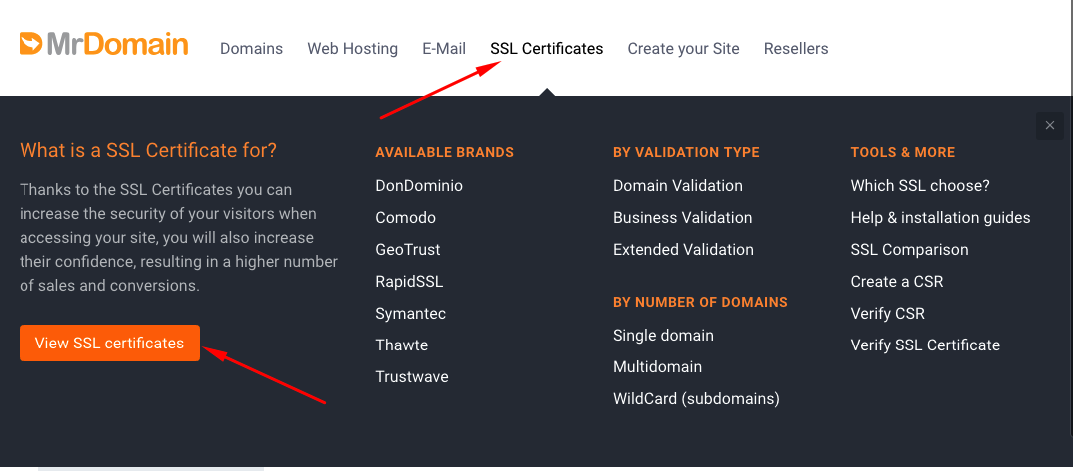
In this example we will buy the "DonDominio Domain SSL", so, we just need to click on "Buy"
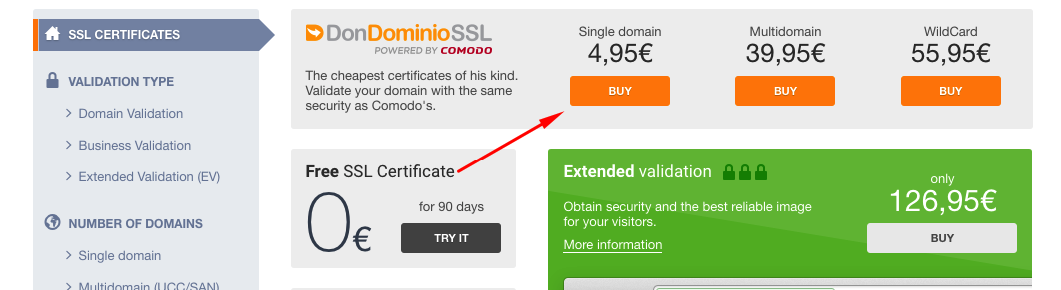
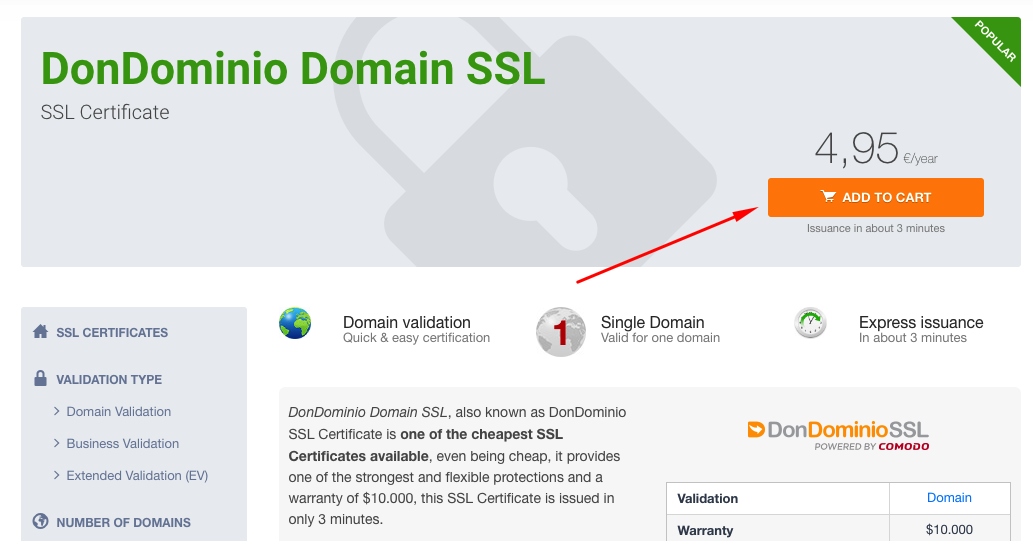
And in the next screen on "Add to Cart"
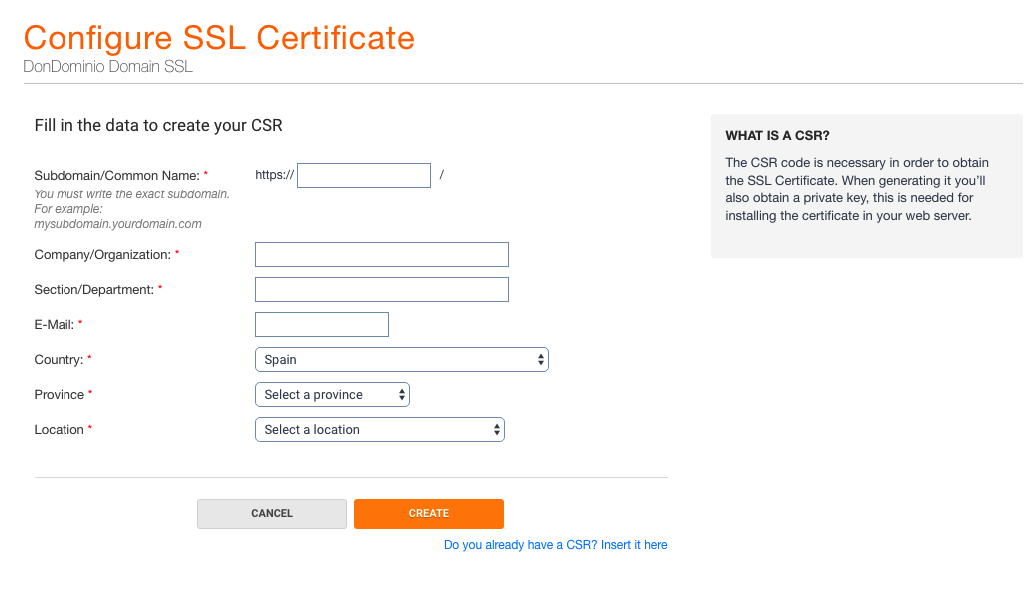
The next step it's the most important one. This form will help us to create our CSR
Before to do it, it's important to know whats is a CSR
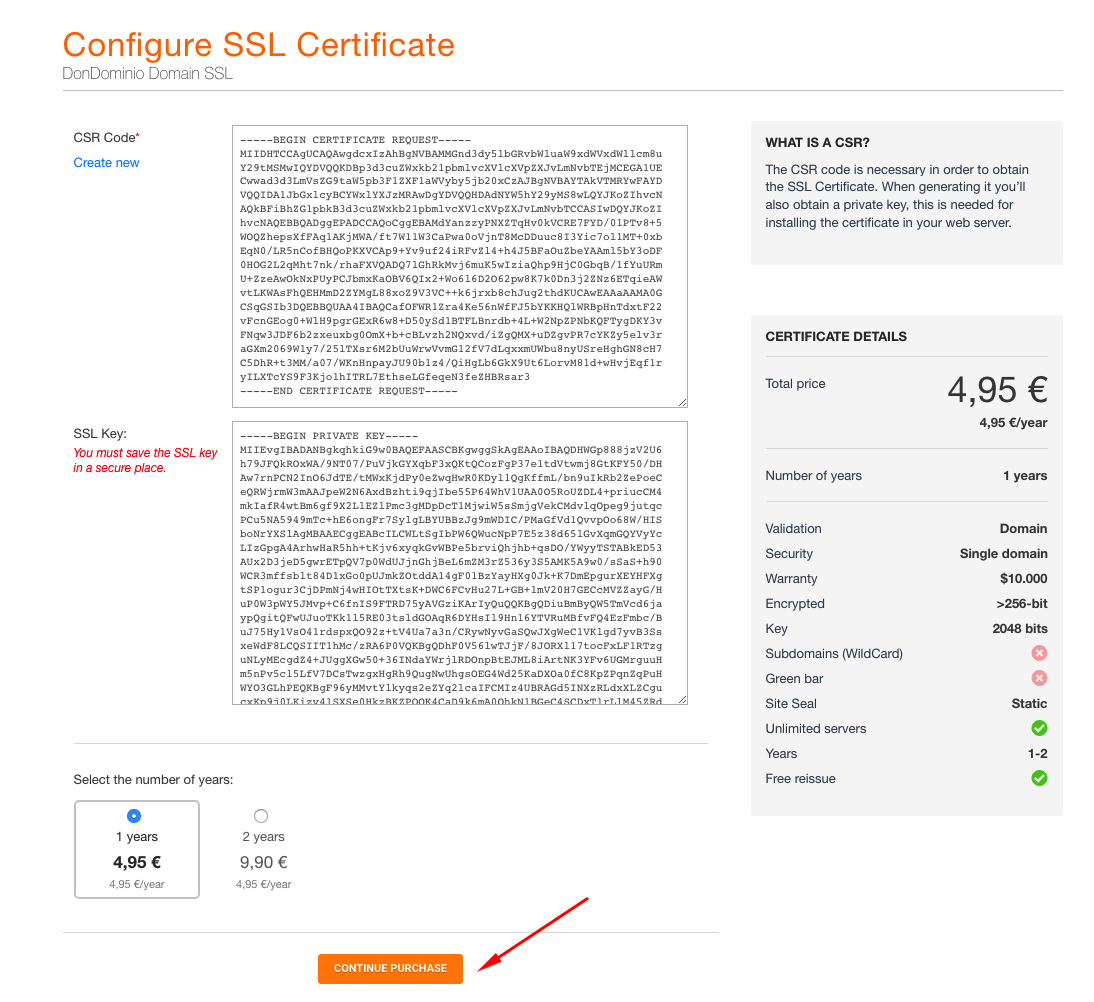
A CSR is an alphanumeric code, that contains the data that we fill on the form, but encrypted. This code is used to generate the Private Key , this key is the one that can decrypt our certificate and allows our server to be able to use it.
In order to generate a valid CSR we must fill the next fields:
- Subdomain/Common Name: We need to write the domain/subdomain. If we use the domain without "www" will write domain.com, if we use it with "www" we will use www.domain.com and if we use any other subdomain like shop.domain.com we will use that subdomain. For the Wildcard we will use an asterisk/star (*.domain.com), and if it's a Multidomain we will only write one of the domains, the other ones will be included in the next step.
- Company/Organization: If our certificate are a company validation certificate or an extended validation one, we will fill the field with the name of our company, if not, we just need to fill with the domain name.
- Section/Department: As in the previous field, if it is a company certificate or extended validation, we will indicate the department, otherwise, only the domain itself.
- E-Mail: Just need to fill with a valid email
- Country: Must fill with our country or the country of our comapny
- Province Select a province of the list
- Location Select a location of the list
Once full filed we will click on Create and we will go to the next screen where you can see your CSR and KEY, and also a purchase summary and the option to select the number of years. We will select the number of years and click on "Continue Purchase"
At this point we are on the last steps where we should select the details about the server/hosting and the validation.
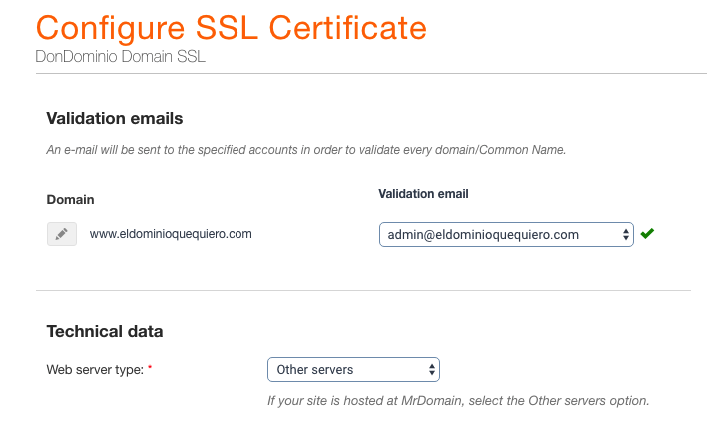
In "Validation Emails" we should select an email that we have from the list. In case that we don't have anyone. In case that we don't have anyone of the listed email, we can create one of them from the control panel of our domain.
In "Technical Data" we will select "Other servers" for all the servers that are not Windows based. For windows based servers we will select "Microsoft IIS 7.x or later"
To finish the process we must full fill the administrative and technical contacts and read and mark the check boxes for the acceptation of the contract and legal therms. Finally click on "Add to cart"
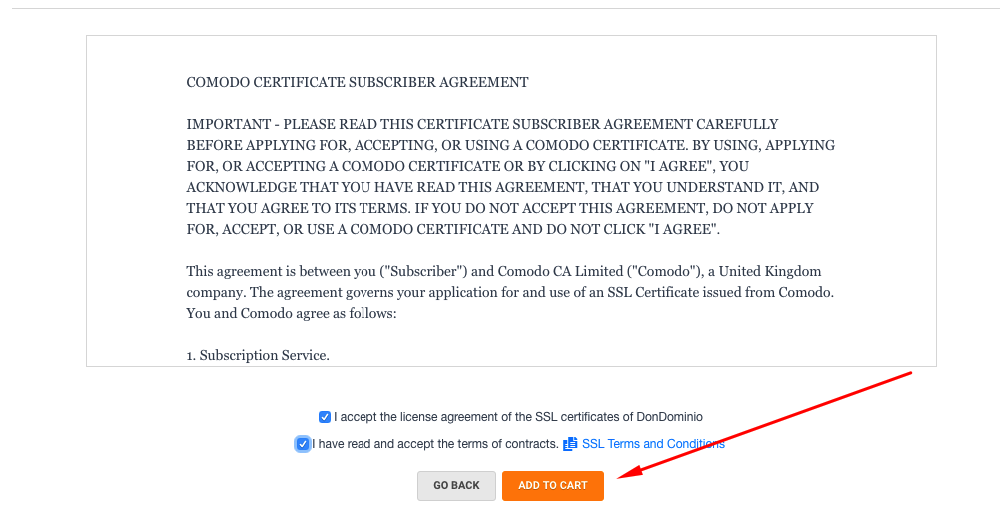
We only need to go to the cart and finish the purchase