
Point domain to jo.cat
.CAT domains have the option to use the jo.cat platform provided by fundació.cat; to point the domain to this platform, you need to follow these steps:
-
The first step is to access jo.cat and obtain the validation TXT record's value.
-
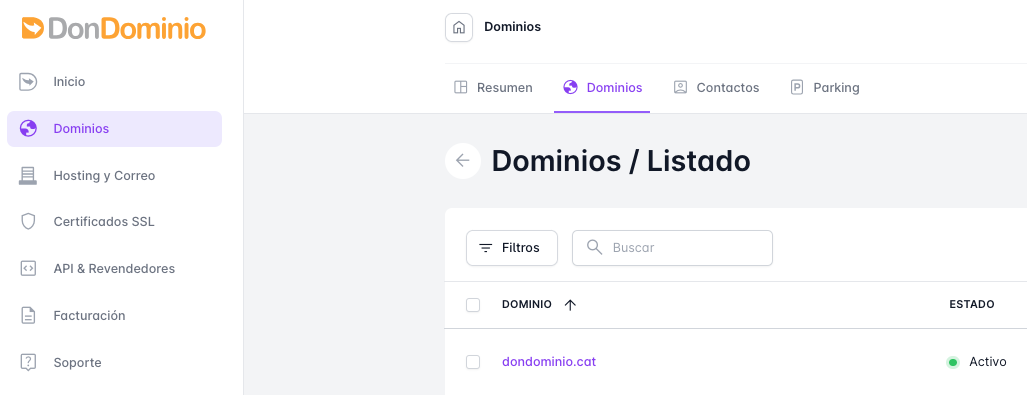
From our Client Area at DonDominio, we go to "Domains" and open the "Domains" tab
-
We search for the domain we wish to manage and click on it
-
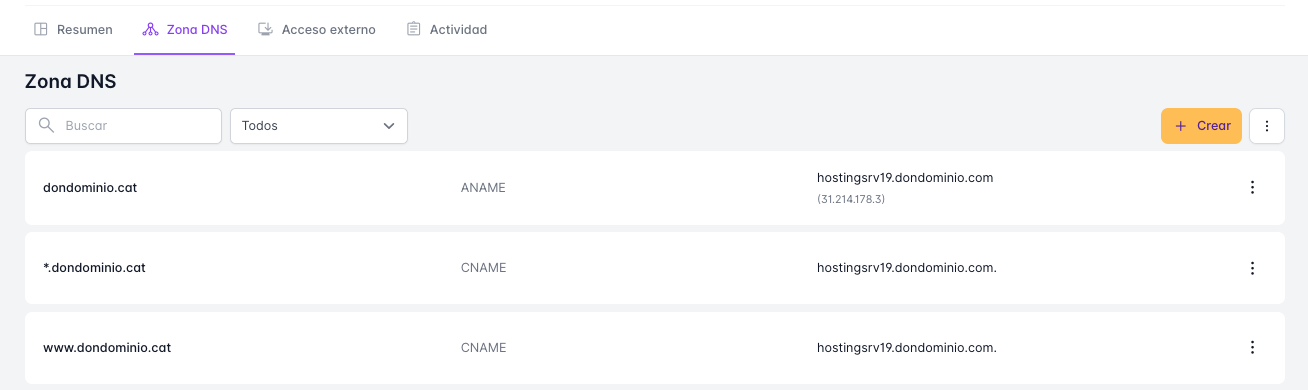
We access the "DNS Zone" section and delete the ANAME and CNAME records as shown in the image below
-
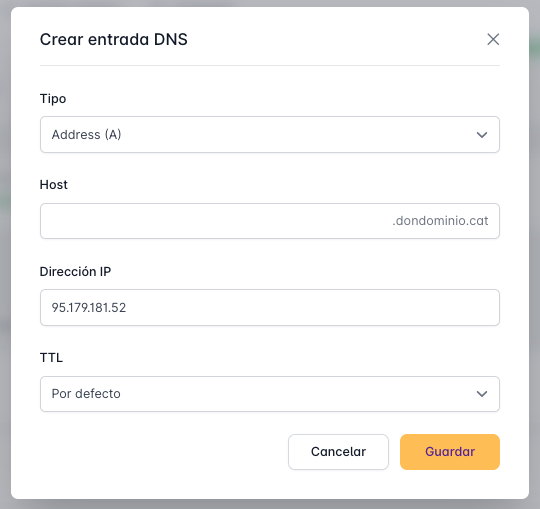
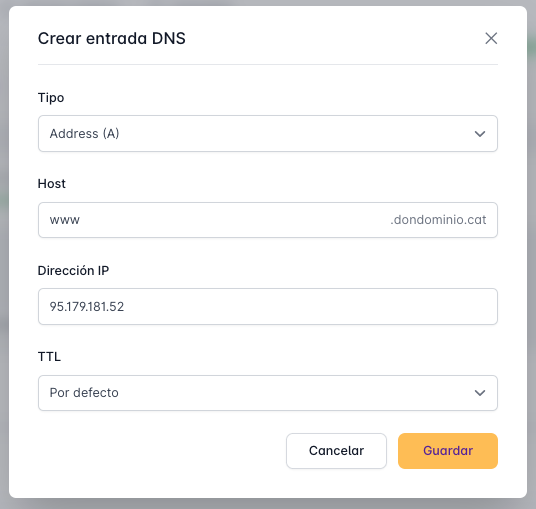
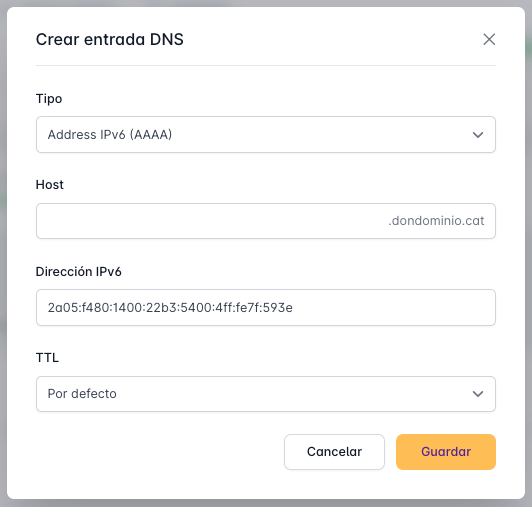
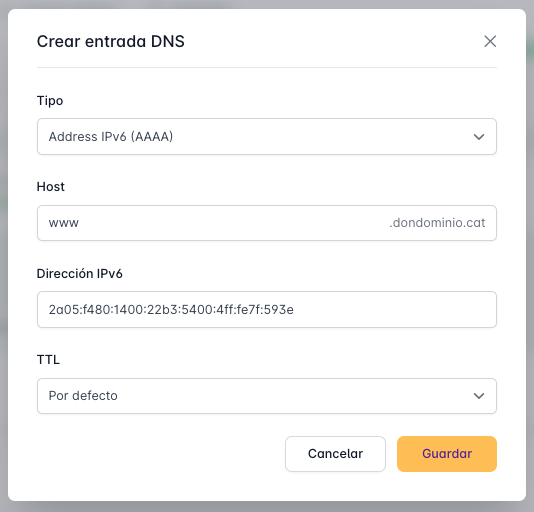
By clicking the "Create" button, we create the following records as they appear in the images:
5.1 A-type Entries for the domain and the "www" subdomain
5.2 AAAA-type Entries for the domain and the "www" subdomain
5.3 TXT Entry
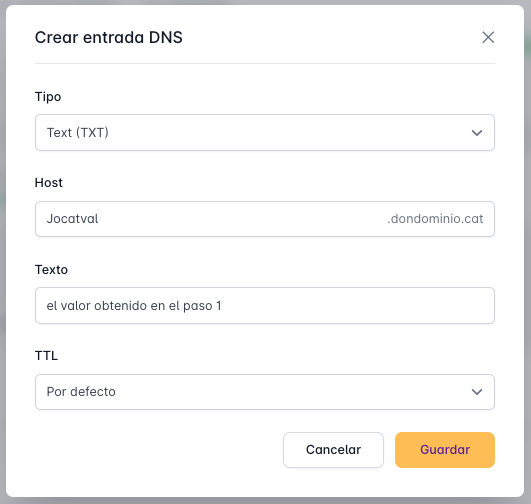
Once these entries are configured, the domain will point to jo.cat and display the content you have there.
Keep in mind that if in the future you wish to point your domain to our hosting, it will be necessary to reset the DNS Zone configuration to our default values.