
Where to find the website error logs
Occasionally, we might find that our website has stopped working without knowing the cause. In these cases, it's advisable to first review the error logs available on the hosting service to see if there are any records that can help us identify the cause of the problem.
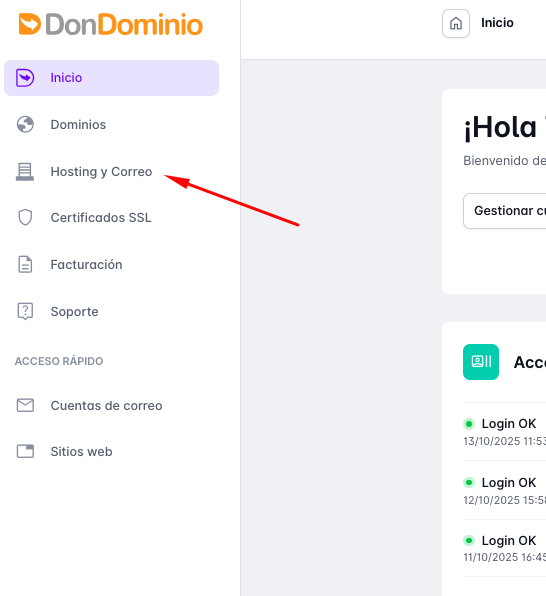
We can find the error logs by accessing our client area. Once inside the client area, we click on the Hosting and email option.
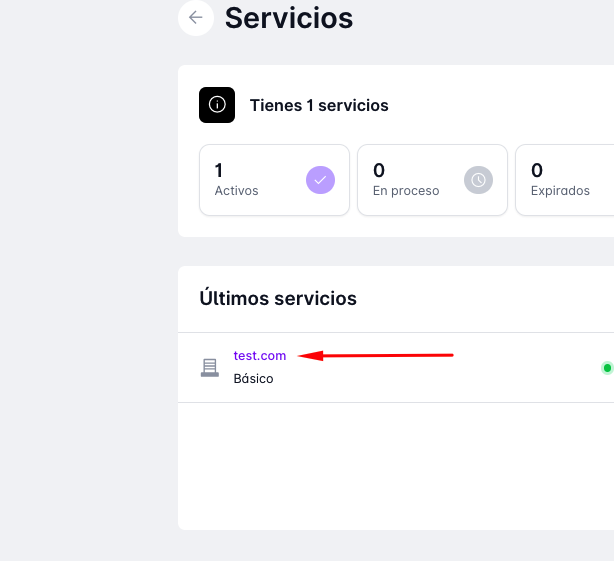
Next, we will see the list of domains and hosting services we have and click on the desired domain.
This will take us to the hosting management panel, where we click on "Websites" in the top bar.
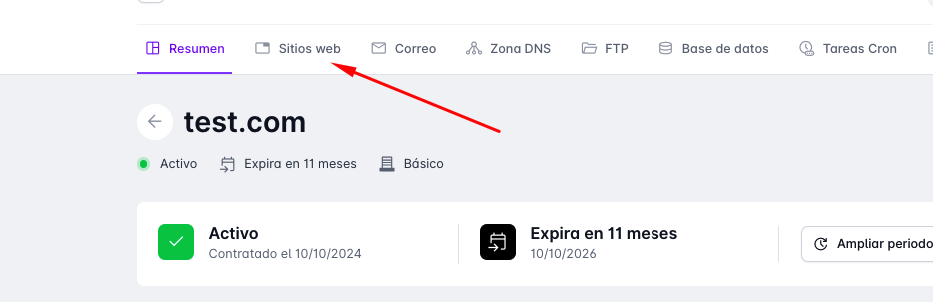
Here we have the View Logs button.

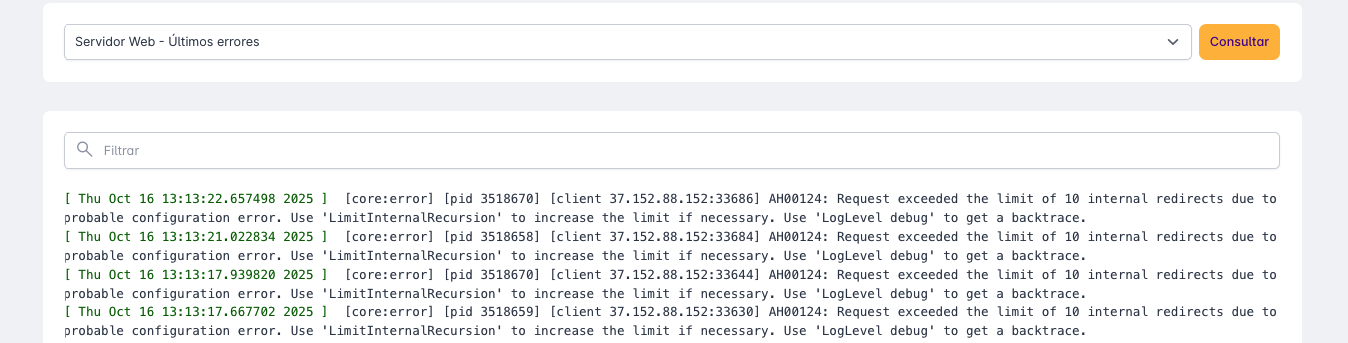
By clicking it, we will access a dropdown where we can select the type of LOG we wish to view.
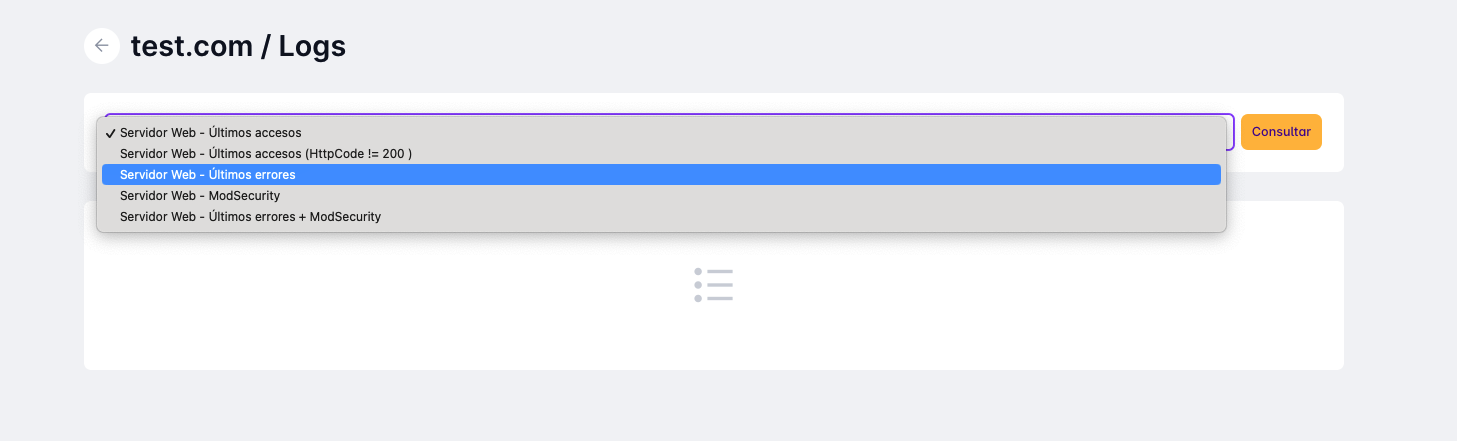
We choose the option Web Server - Latest Errors and click on Consult. A list with the latest errors generated will appear.
If you have doubts about the errors that appear, remember that our support team is at your disposal.