
How is a SSL Certificate validated?
An SSL Certificate can be validated in many ways depending on the type of the certificate. The validation consists in showing to the Certifying Entity that you are the domain owner or manager, therefor, it will need an action in your domain hosting plan in order to prove it.
There are two kinds of certificate validation depending on the SSL Certificate we want to install on our website.
- DV Certificates (Domain Validation): Only domain ownership is validated.
- OV Certificates (Organization Validation): Not only the domain ownership have to be validated, we also have to validate the company data and ownership.
- EV Certificates (Extended Validation): Not only the domain ownership have to be validated, we also have to validate the company data and ownership.
Domain Validation Certificate
There are three easy ways to validate the domain.
Email validation
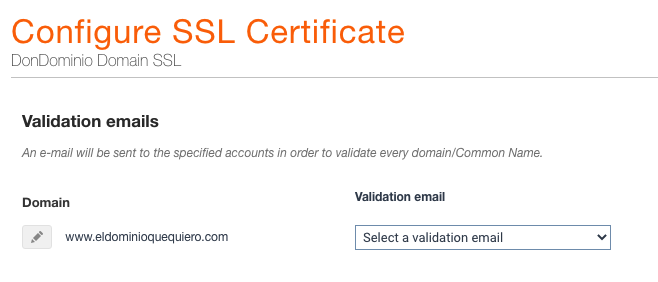
It is the default option by the system, it consists in select one of the email accounts offered by the certifying entity and creating it. The mail account must be a personalized account with the domain name we want to use in the certificate, that way you can prove that the domain is your property..
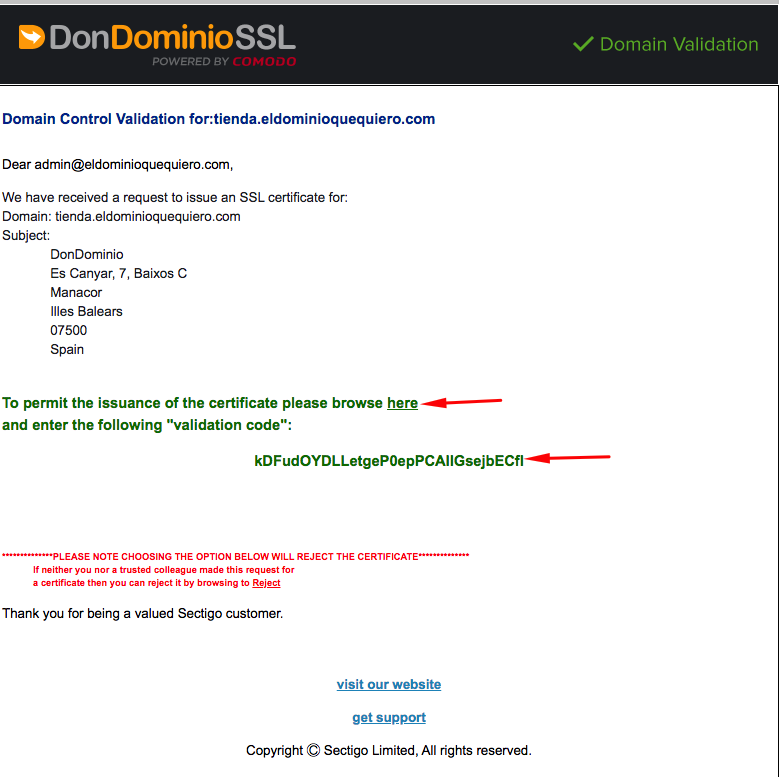
Once the SSL Certificate has been issued, the certifying entity will send the validation email to this email account and it can be validated by accessing the email and pasting the code provided in the link that will appear in the same email.
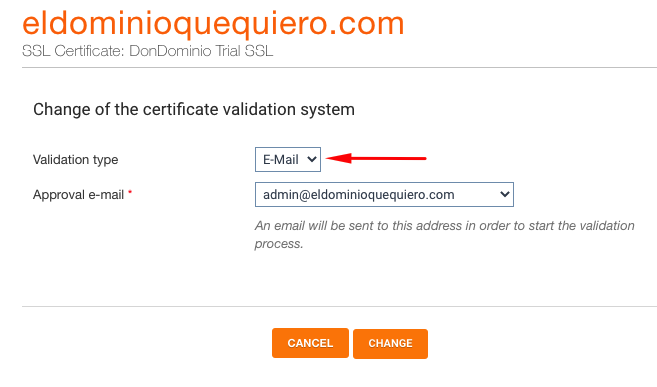
Alternative methods: DNS with a CNAME or HTTP with a HTML file
The following types of validation can be selected from the SSL Certificate management area, about 20 minutes after the Certificate has been issued (you have to select one of the mail accounts in order to complete the issue). You can select one of them from “SSL” → “My Certificates” → Selecting the SSL Certificate to validate → “Check validation Status” → “Modify”.

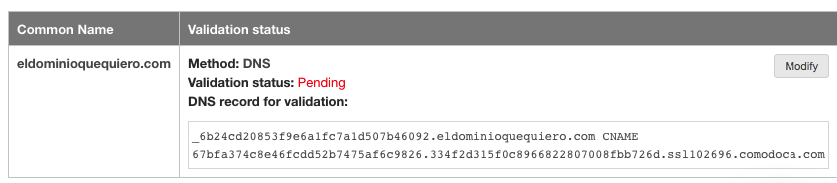
DNS validation with a CNAME
You will need to create a CNAME record in the DNS Zone of the domain. The system will provide you with all the information (“Host” and “Destiny Host”) and you will be able to see it in “Check Validation Status”: Example:

HTTP validation with a HTML file
In that case, you should create in your FTP access a series of directories, and within the last one, a .txt file with a code that our system will provide and show you in “Check Validation Status”. Example:
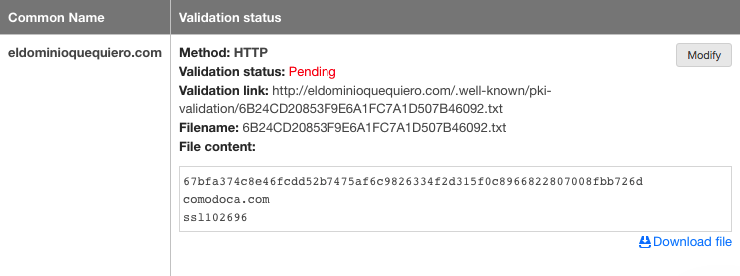
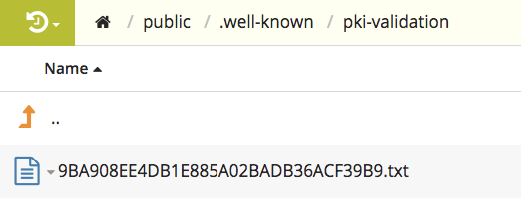
Once managed, the certifying entity will validate your SSL Certificate in the shortest possible time.
Company validation (OV and EV)
In this case, we also will need to validate the company, not just the domain. In order to do that, the certifying entity will send an email with all the information you will need. It consists basically in providing documentation about the company (Company Deeds, VAT…) and answer a phone call..
If you have any doubt about that, you can directly contact the certifying entity, indicating the reference number (visible in your SSL management area) to be able to identify yourself. You can also contact our support team if you have any doubt about the procedure.
